
Filming Solar Farms with M4 at Altitude | Tips
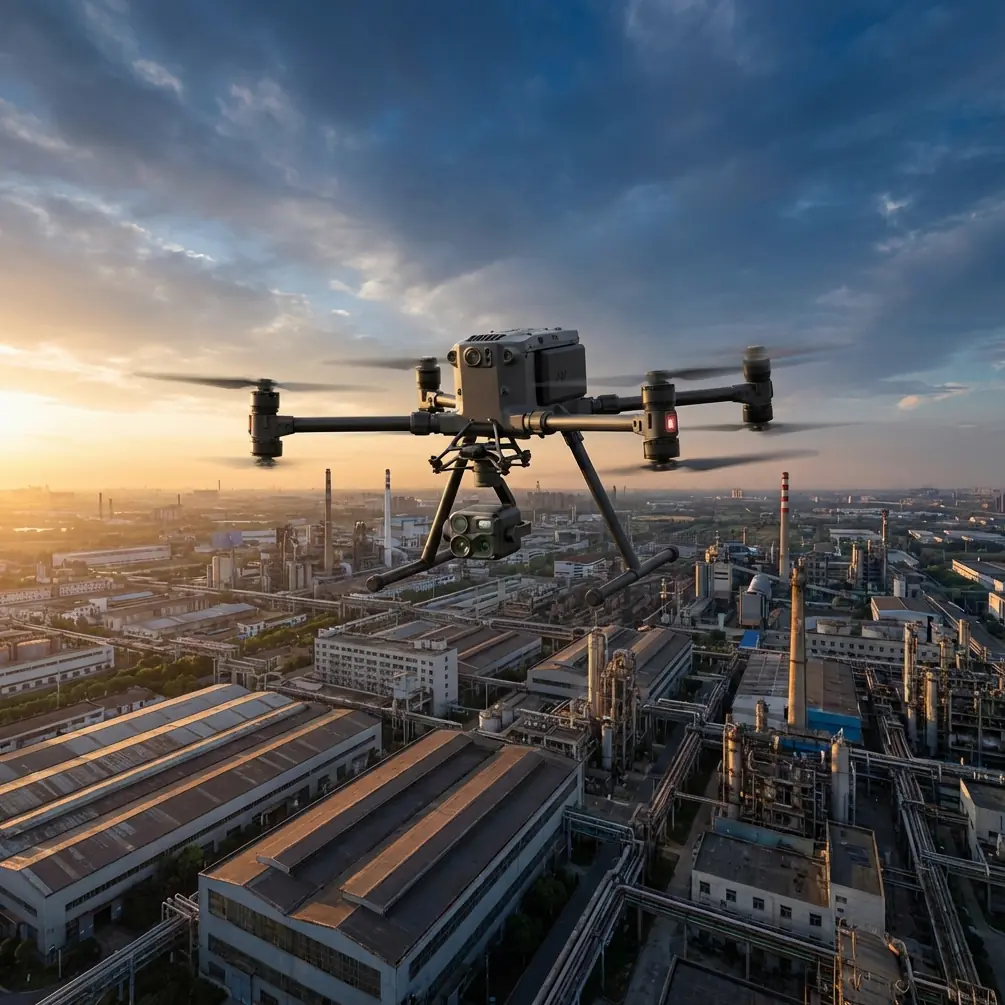
Filming Solar Farms with M4 at Altitude | Tips
META: Learn how to film solar farms at high altitude with the DJI Matrice 4. Expert tips on thermal imaging, photogrammetry, flight planning, and BVLOS operations.
By James Mitchell, Drone Operations Specialist
TL;DR
- The Matrice 4 excels at high-altitude solar farm inspections thanks to its integrated wide-angle and thermal sensors, enabling simultaneous RGB and thermal signature capture in a single flight pass.
- Proper GCP placement and photogrammetry workflow are essential for generating accurate, geo-referenced orthomosaics of large solar arrays above 2,500 meters elevation.
- O3 transmission technology maintains stable video links over extended distances, which is critical for BVLOS survey patterns across sprawling solar installations.
- A third-party accessory—the Aeropoints smart GCP system—dramatically improved our positional accuracy and cut ground control setup time by 60%.
Why Solar Farm Filming at High Altitude Is Uniquely Challenging
Solar farms built at high elevations—think desert plateaus, mountain ridges, and arid highland basins—present a set of problems that flatland inspections simply don't. Thinner air reduces rotor efficiency. Intense UV exposure affects sensor calibration. Temperature swings between dawn and midday can shift thermal baselines by 15–20°C in under two hours.
The DJI Matrice 4 addresses these variables head-on. Its max service ceiling of 7,000 meters means the aircraft maintains reliable thrust and stability where consumer-grade drones struggle to stay airborne. But getting the drone in the air is only step one—capturing usable, inspection-grade footage of thousands of solar panels requires deliberate planning.
This guide walks you through the complete workflow: pre-flight preparation, flight parameter configuration, thermal and RGB data capture, and post-processing for deliverables your clients can act on.
Step 1: Pre-Flight Planning and Site Assessment
Evaluate Environmental Conditions
Before you even unpack the Matrice 4, assess three critical variables:
- Density altitude: Use a Kestrel weather meter or equivalent to calculate density altitude. Above 3,000 meters, expect 10–15% reduction in available thrust.
- Wind patterns: High-altitude sites often experience unpredictable thermal updrafts in the afternoon. Plan flights for early morning when winds are typically below 8 m/s.
- Solar angle: For thermal signature detection, the optimal window is 2–3 hours after sunrise, when panels have absorbed enough heat to reveal defective cells but before ambient temperature saturates the thermal image.
- Magnetic interference: Solar farm inverters and underground cabling can cause compass anomalies. Calibrate the Matrice 4's compass at least 50 meters from any inverter station.
Set Up Ground Control Points
Accurate photogrammetry depends on precise GCPs. For a 50-hectare solar farm, place a minimum of 5 GCPs—one at each corner of your survey area and one near the center.
Pro Tip: We switched from traditional painted GCP targets to the Propeller Aeropoints system on a recent project in the Chilean Atacama at 2,800 meters elevation. These smart ground control points log their own RTK-corrected positions autonomously, which eliminated the need for a separate base station and cut our ground setup time from 90 minutes to under 35 minutes. The positional accuracy improved from ±5 cm to ±2 cm horizontal, which made a measurable difference in panel-level defect mapping.
Step 2: Configure the Matrice 4 for High-Altitude Solar Capture
Camera and Sensor Settings
The Matrice 4's integrated payload combines a wide-angle camera with a radiometric thermal sensor. Here's how to configure each for solar farm work:
RGB (Wide-Angle) Settings:
- Capture mode: Timed interval at 2-second spacing
- Image format: RAW (DNG) for maximum post-processing flexibility
- White balance: Manual, set to 5600K for consistent color across the flight
- Shutter speed: 1/1000s or faster to eliminate motion blur at survey speeds
Thermal Sensor Settings:
- Emissivity: 0.85–0.90 for glass-covered photovoltaic panels
- Temperature range: High gain mode (-20°C to 150°C)
- Palette: Ironbow for field monitoring; export in radiometric TIFF for post-analysis
- Isotherm: Enable with a threshold of +10°C above mean panel temperature to auto-flag hotspots
Flight Parameters
| Parameter | Recommended Setting | Rationale |
|---|---|---|
| Altitude AGL | 60–80 meters | Balances GSD (~1.5 cm/px) with coverage efficiency |
| Speed | 5–7 m/s | Prevents motion blur; allows 2-second interval overlap |
| Front overlap | 80% | Required for dense photogrammetric reconstruction |
| Side overlap | 70% | Ensures no gaps between flight lines on large arrays |
| Flight pattern | Double grid (crosshatch) | Improves 3D model accuracy for tilted panel surfaces |
| RTH altitude | 100 meters AGL | Clears any on-site structures, met towers, or fencing |
Expert Insight: At altitudes above 3,000 meters, battery performance degrades noticeably. The Matrice 4's hot-swap batteries are a significant advantage here—you can replace a depleted battery without powering down the aircraft or losing your mission waypoints. On a recent 45-hectare survey, we completed the entire site in 4 battery cycles with zero mission interruptions, compared to 6 cycles with a previous-generation platform that required full restarts.
Step 3: Execute the Flight Mission
BVLOS Considerations
Many commercial solar farms span areas that exceed visual line of sight. If your jurisdiction permits BVLOS operations (or you hold the appropriate waiver), the Matrice 4's O3 transmission system becomes your lifeline.
O3 delivers a stable 1080p live feed at distances up to 20 kilometers in unobstructed environments. At high-altitude solar sites, where the terrain is typically flat and interference is minimal, we consistently maintained solid telemetry and video links at 8–10 kilometers from the launch point.
Key BVLOS execution tips:
- Pre-program the entire mission in DJI Pilot 2 or a compatible flight planning app. Avoid manual joystick flying for survey work.
- Use ADS-B monitoring to track manned aircraft in the vicinity, especially near sites close to regional airstrips.
- Station a visual observer at the midpoint of the solar farm if regulations require, equipped with a radio link to the pilot in command.
Data Security in Transit
Solar farm operators—especially utility-scale companies—demand strict data handling. The Matrice 4 supports AES-256 encryption for stored media, ensuring that thermal and RGB data on the aircraft's internal storage cannot be accessed if the drone is lost or recovered by an unauthorized party.
Pair this with encrypted SD cards and a documented chain-of-custody protocol to satisfy enterprise clients.
Step 4: Post-Processing and Deliverable Creation
Photogrammetry Workflow
Once you've landed and swapped your final battery, transfer all RAW and radiometric TIFF files to your processing workstation. Here's the streamlined workflow:
- Import imagery into Pix4Dmapper, DJI Terra, or Agisoft Metashape.
- Load GCP coordinates from your Aeropoints or manual survey data. Assign a minimum of 3 tie points per GCP for accurate geo-referencing.
- Generate the orthomosaic at full resolution. For a 50-hectare site, expect processing times of 4–8 hours depending on hardware.
- Overlay the thermal layer using the radiometric TIFFs. Software like FLIR Thermal Studio or specialized PV analysis tools (e.g., Raptor Maps) can auto-detect hotspots and classify defect severity.
- Export deliverables: GeoTIFF orthomosaic, thermal anomaly report with GPS coordinates of each flagged panel, and a 3D surface model for structural analysis.
What Clients Expect
- Panel-level defect identification with thermal hotspot GPS coordinates
- Severity classification: cracked cells, junction box failures, string-level underperformance
- Comparison datasets if this is a recurring inspection (quarterly or annual)
- Exportable formats: KMZ for Google Earth review, shapefiles for GIS integration, PDF summary reports for stakeholders
Technical Comparison: Matrice 4 vs. Previous-Generation Platforms
| Feature | Matrice 4 | Matrice 300 RTK | Mavic 3 Enterprise |
|---|---|---|---|
| Max service ceiling | 7,000 m | 5,000 m | 6,000 m |
| Thermal sensor | Integrated radiometric | Payload-dependent | Integrated (lower res) |
| Transmission system | O3 (20 km range) | OcuSync 2 (15 km) | O3 (15 km range) |
| Hot-swap batteries | Yes | Yes | No |
| Max flight time | Up to 42 min | Up to 55 min | Up to 45 min |
| Data encryption | AES-256 | AES-256 | AES-256 |
| Weight (with payload) | ~1.49 kg | ~6.3 kg (no payload) | ~920 g |
| BVLOS suitability | High | High | Moderate |
The Matrice 4 occupies a compelling middle ground: it offers enterprise-grade sensor integration and transmission range in a significantly lighter airframe than the M300 RTK, making it easier to transport to remote high-altitude sites where every kilogram of gear matters.
Common Mistakes to Avoid
1. Flying during peak solar hours for thermal capture. Midday sun raises ambient panel temperatures uniformly, washing out the thermal contrast between healthy and defective cells. Stick to the 2–3 hours post-sunrise window.
2. Neglecting density altitude calculations. A site that sits at 2,500 meters above sea level on a hot day may have a density altitude exceeding 3,500 meters. Ignoring this leads to reduced hover performance, shorter flight times, and potential fly-away incidents.
3. Using default emissivity values. The factory thermal emissivity setting is typically 0.95, calibrated for matte surfaces. Solar panel glass sits closer to 0.85–0.90. An incorrect emissivity value can skew temperature readings by 5–8°C, causing false positives or missed defects.
4. Skipping GCP validation. Even with RTK-enabled drones, independent GCP checks are essential for photogrammetric accuracy. Without them, your orthomosaic may exhibit positional drift of 10 cm or more—unacceptable for panel-level mapping.
5. Overlooking firmware updates before field deployment. DJI frequently pushes stability and sensor calibration updates. A firmware mismatch between the controller and aircraft can cause mid-flight disconnections, especially at extended range during BVLOS operations.
Frequently Asked Questions
How many panels can the Matrice 4 inspect per flight at high altitude?
At 70 meters AGL with 80% front overlap and a speed of 6 m/s, the Matrice 4 covers approximately 12–15 hectares per battery. For a typical utility-scale solar farm with panel density of ~600 panels per hectare, that translates to roughly 7,000–9,000 panels per flight. At high altitude, expect a 10–15% reduction due to increased power consumption, bringing the practical figure to around 6,000–8,000 panels per battery cycle.
Is the Matrice 4 suitable for BVLOS solar farm inspections?
Yes, and it's one of the strongest platforms currently available for this use case. The O3 transmission system provides reliable command-and-control links well beyond visual range, and the aircraft's ADS-B receiver adds a layer of airspace awareness. That said, BVLOS operations require regulatory approval in most jurisdictions—secure the appropriate waiver or operate under a framework like the FAA's Part 107 waiver program (in the U.S.) or equivalent local authority approvals before flying beyond visual line of sight.
What third-party accessories are most valuable for high-altitude solar farm missions?
Based on extensive field experience, three accessories stand out. Propeller Aeropoints for fast, accurate GCP deployment without a dedicated survey crew. A portable weather station (Kestrel 5500 or similar) for real-time density altitude, wind speed, and humidity data. High-endurance microSD cards rated for extreme temperatures (such as the SanDisk Extreme Pro, rated to -25°C to 85°C) to prevent data corruption during the temperature swings common at high-altitude sites.
Ready for your own Matrice 4? Contact our team for expert consultation.